Shortlist Builder
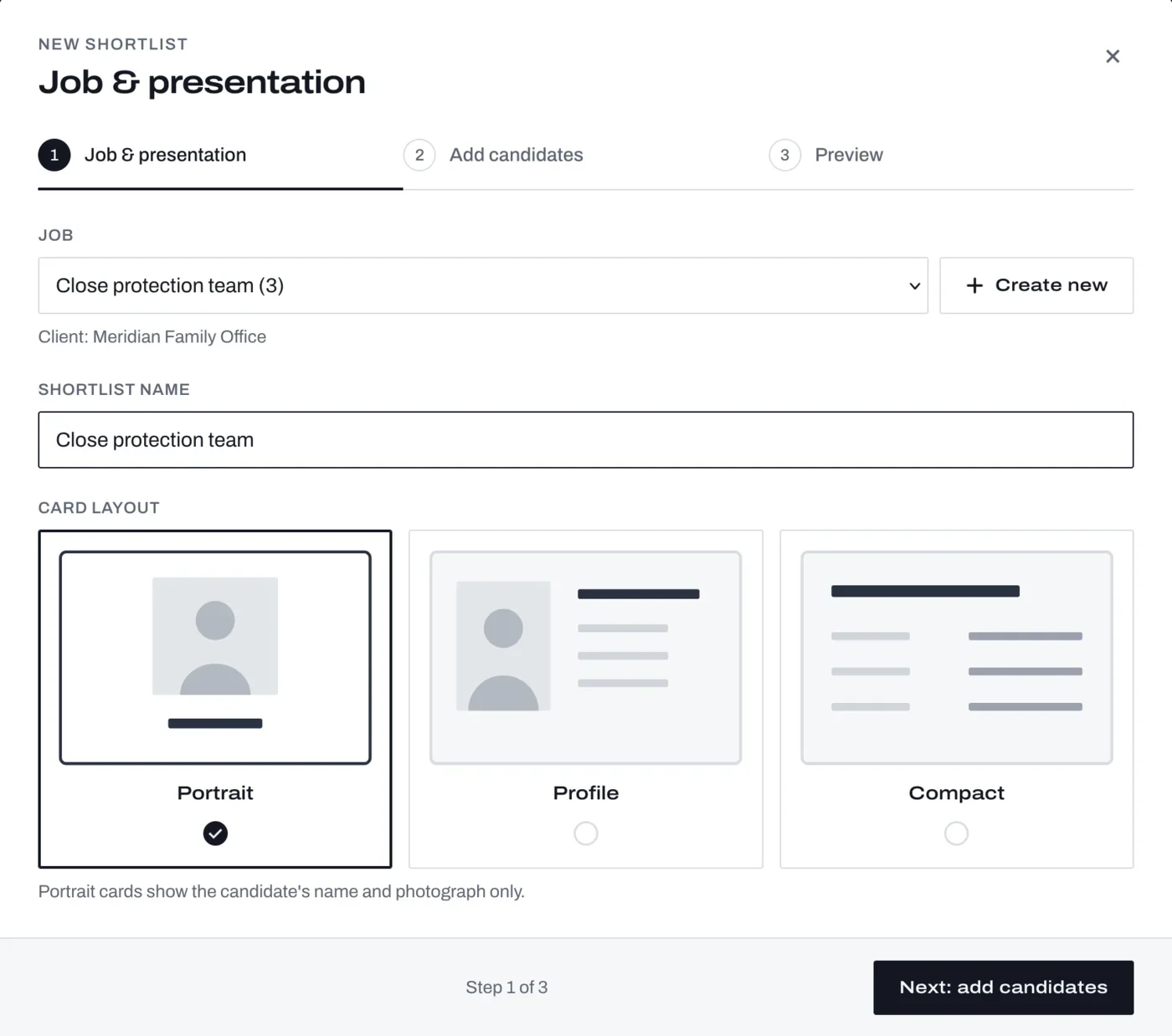
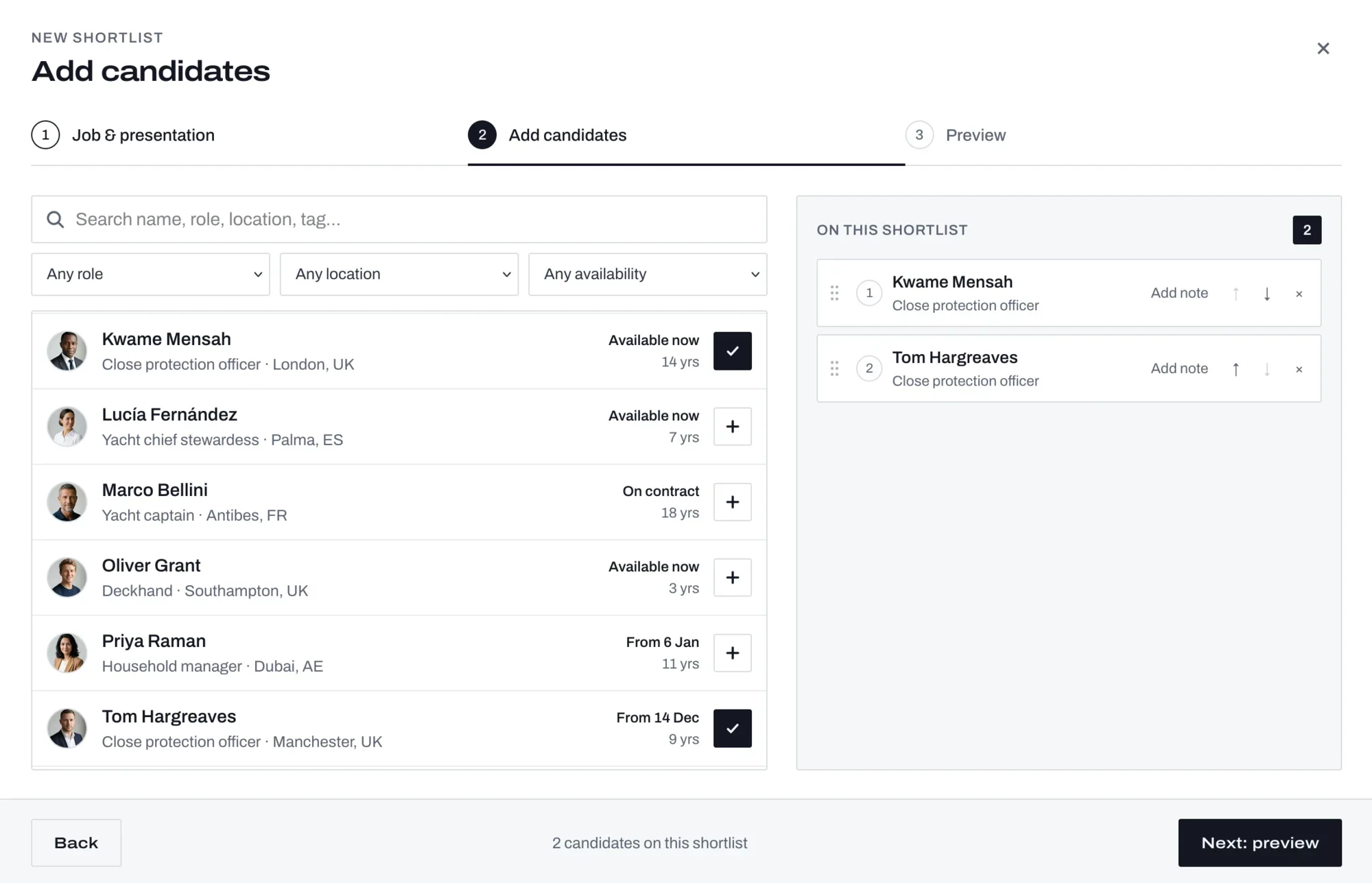
Select candidates from the database and assemble a shortlist for a particular requirement.
- Quickly create tailored candidate presentations.
- Reuse existing candidate data.
- Keep the selection process controlled by the recruiter.
- Avoid preparing individual CV packs manually.
Custom Shortlist Data Points
Choose exactly three profile fields to display alongside each candidate's name.
- Highlight the information most relevant to the requirement.
- Keep the presentation clean and consistent.
- Avoid overwhelming clients with unnecessary information.
- Adapt presentations to different industries.
Three Shortlist Layouts
Choose from three presentation styles before sending a shortlist.
Portrait
Large candidate photograph with name below.
- Ideal for visual-first industries.
- Creates a premium, editorial presentation.
- Places emphasis on the individual.
A. Moreau12 yearsLevel 3 CPFrench
J. Okoye9 yearsSIA licenceArabic
Profile
Candidate photograph, name and three selected data points.
- Balances visual presentation with useful information.
- Ideal for specialist recruitment.
- Responsive layout for mobile devices.
A. Moreau12 yearsLevel 3 CPFrench
J. Okoye9 yearsSIA licenceArabic
Details
Text-only tiles displaying name and three selected data points.
- Ideal when photographs are unnecessary.
- Focuses attention on professional qualifications.
- Clean, compact presentation.
Recruiter Notes
Add optional, candidate-specific notes to the reverse of each shortlist card.
- Highlight relevant strengths.
- Explain why a candidate was shortlisted.
- Provide context beyond standard profile information.
- Add a personal, curated touch to each presentation.
Shortlist Preview
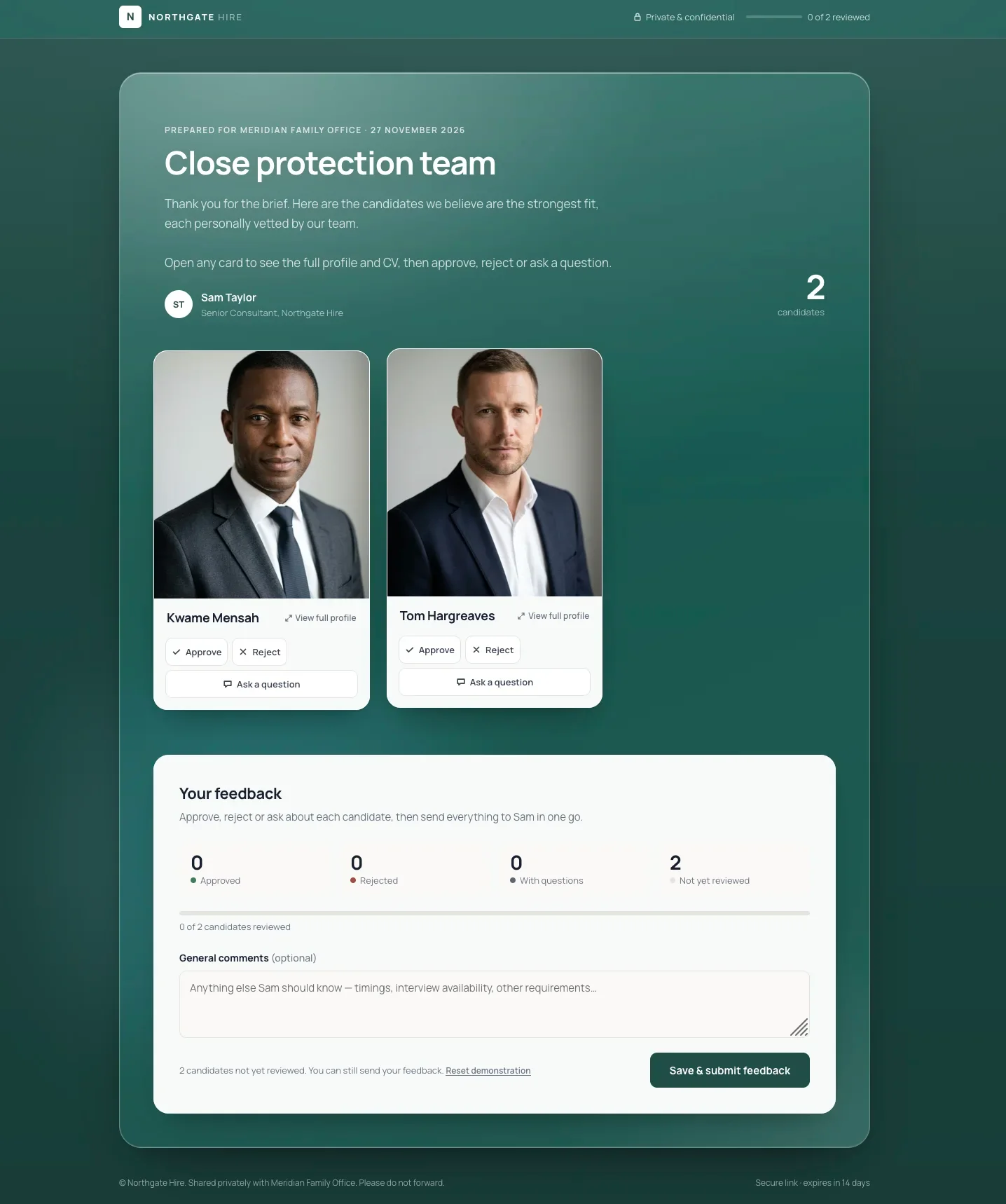
Preview the exact presentation the client will receive.
- Check candidate order and details.
- Confirm layout and branding.
- Review notes before publishing.
- Maintain quality control over client-facing presentations.
Shortlist Sharing
Publish a shortlist and share it with the intended client through the branded portal.
- No cumbersome email attachments.
- One consistent presentation.
- Clients access the latest published shortlist.
- Professional, secure delivery.
Want to see a shortlist the way your client does? See how shortlist software works.